Watermark Lite
A downloadable tool for Windows
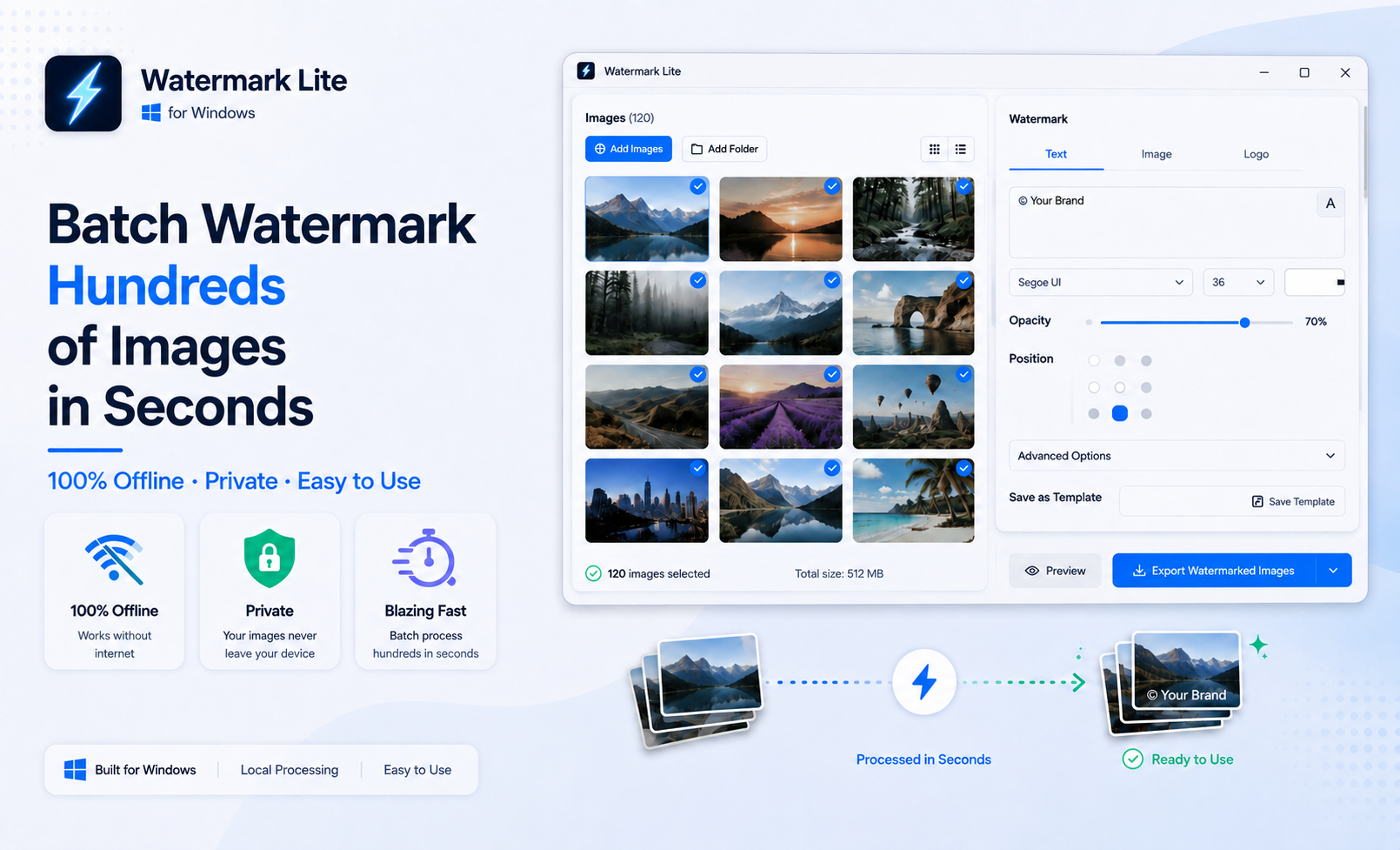
Batch Watermark Hundreds of Images in Seconds
Watermark Lite is a fast and simple Windows app for batch watermarking images.
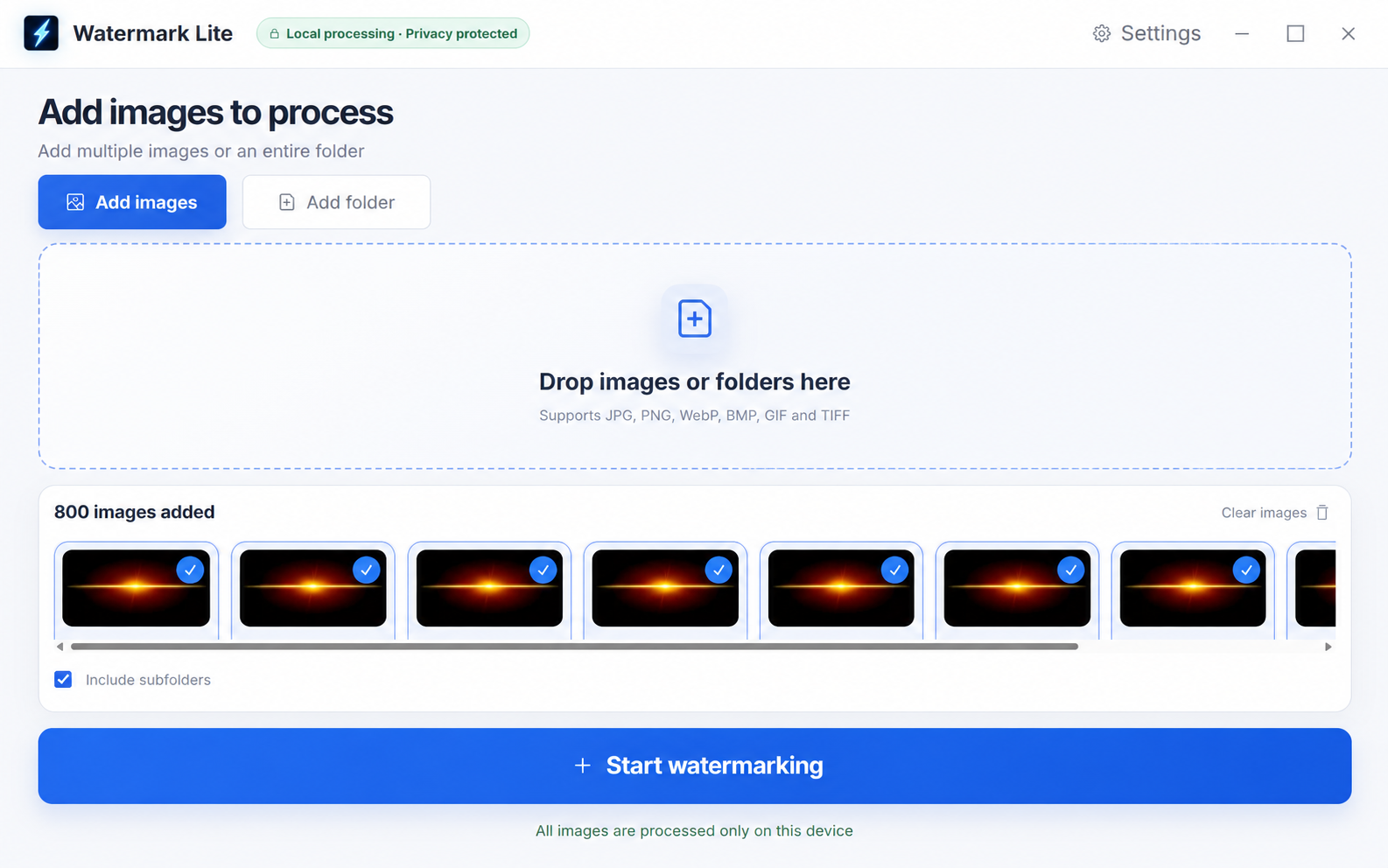
Add watermarks to hundreds of images at once and export the entire batch in just a few clicks.
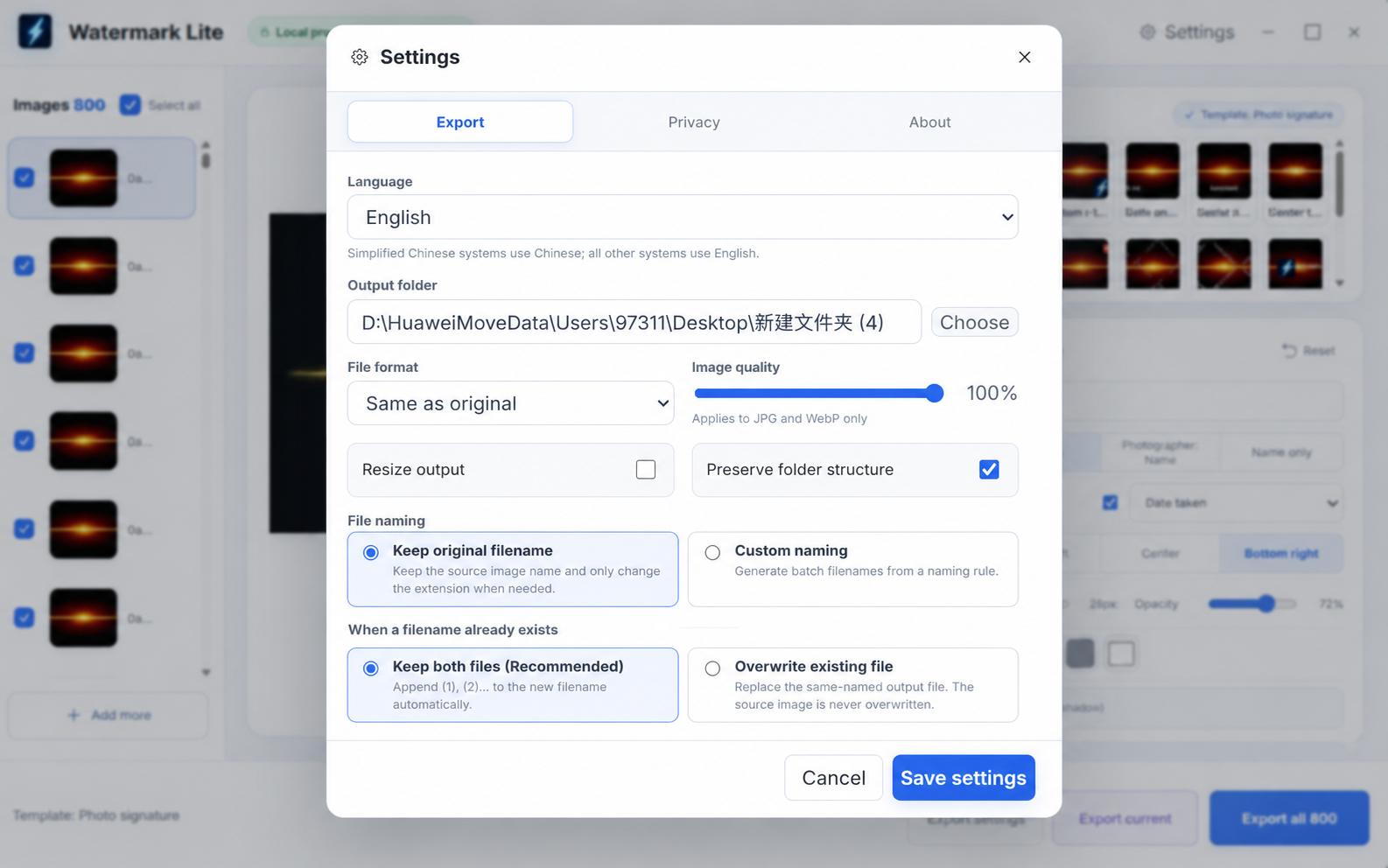
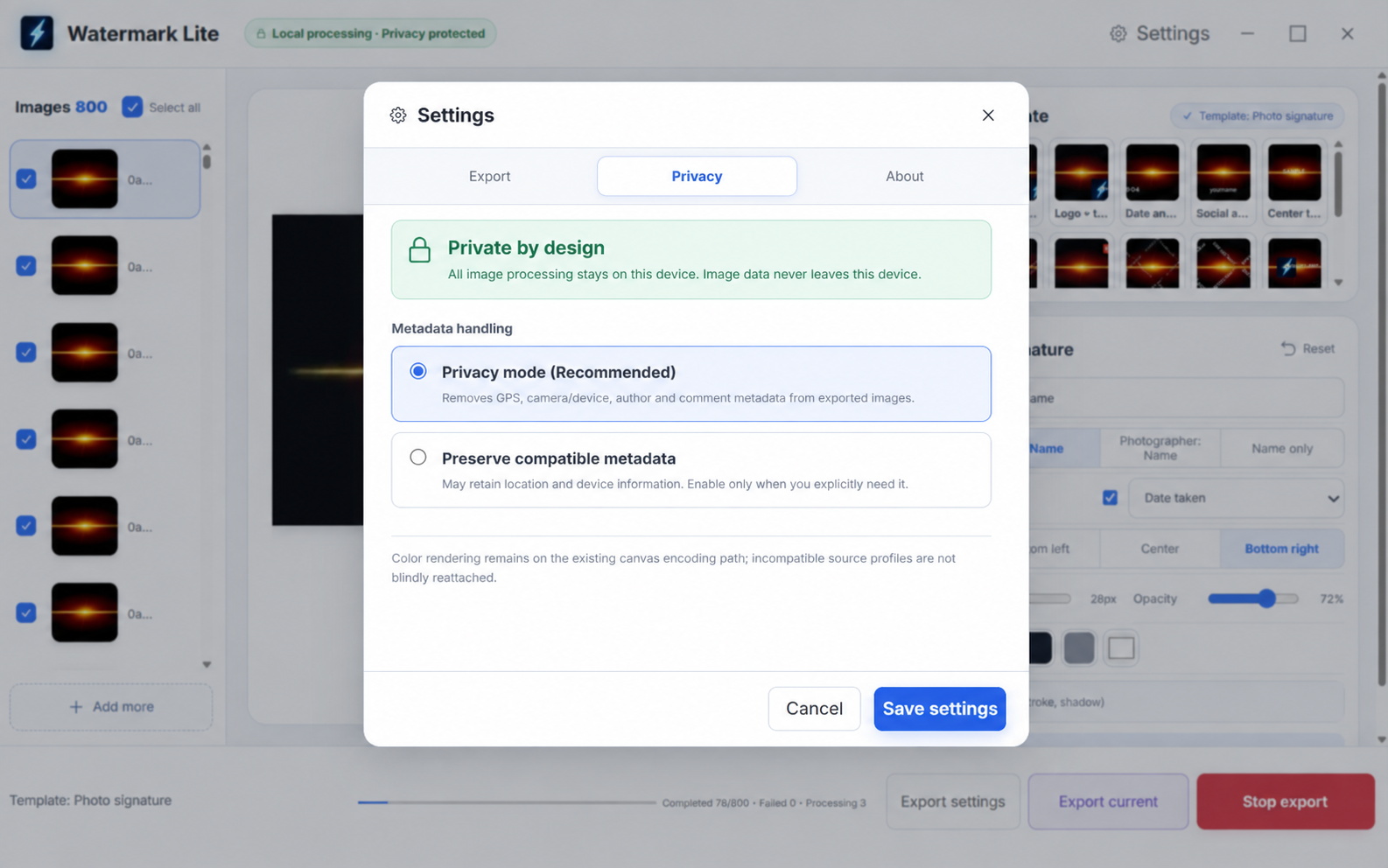
Everything is processed locally on your computer — no image uploads, no cloud processing, and no account required.
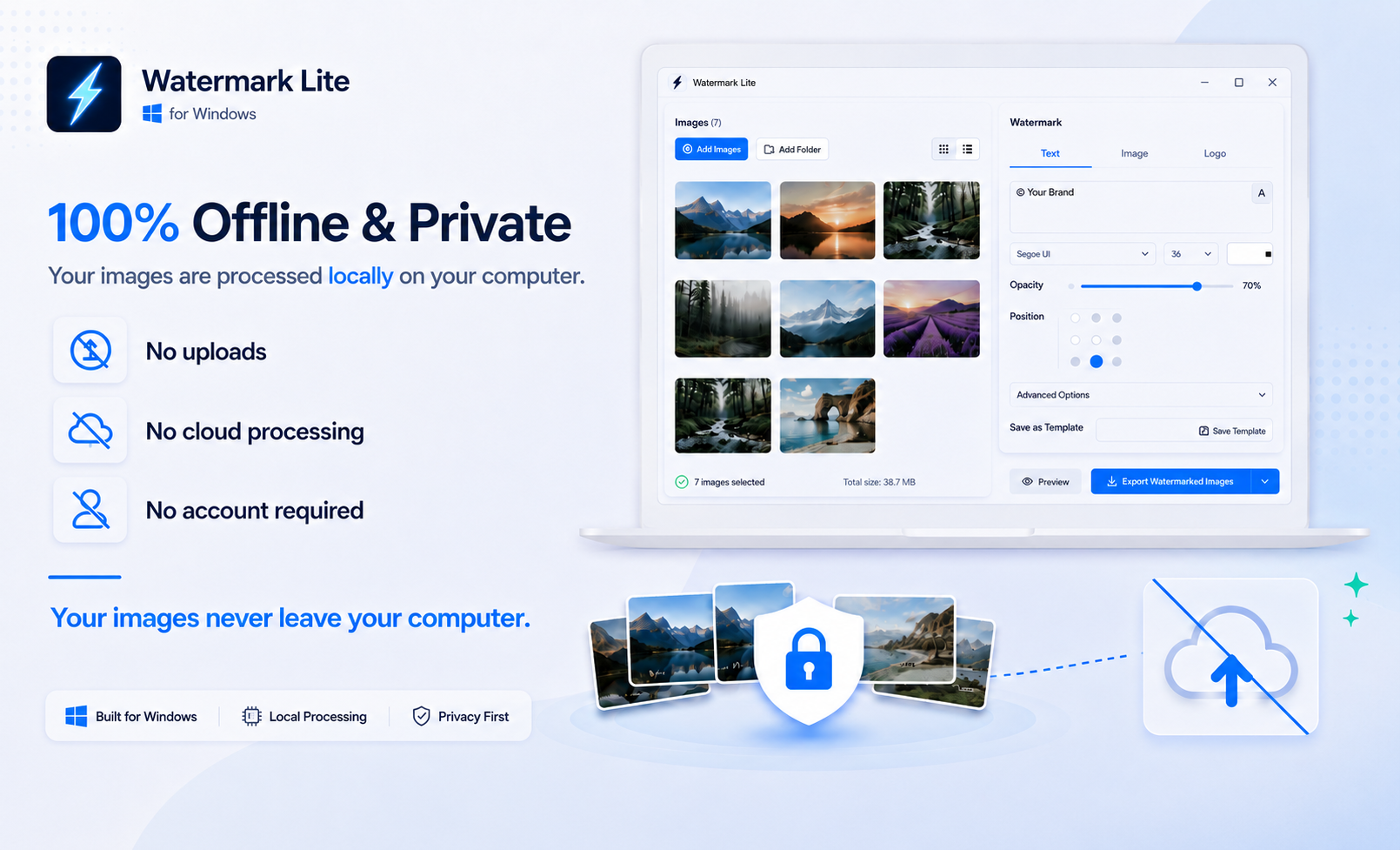
100% Offline & Private
Your images are processed locally on your computer.
- No image uploads
- No cloud processing
- No account required
- Your images stay on your device
Your files never leave your computer.
Watermark Lite is ideal for product photos, client images, artwork, portfolio images, and other files you prefer to keep private.
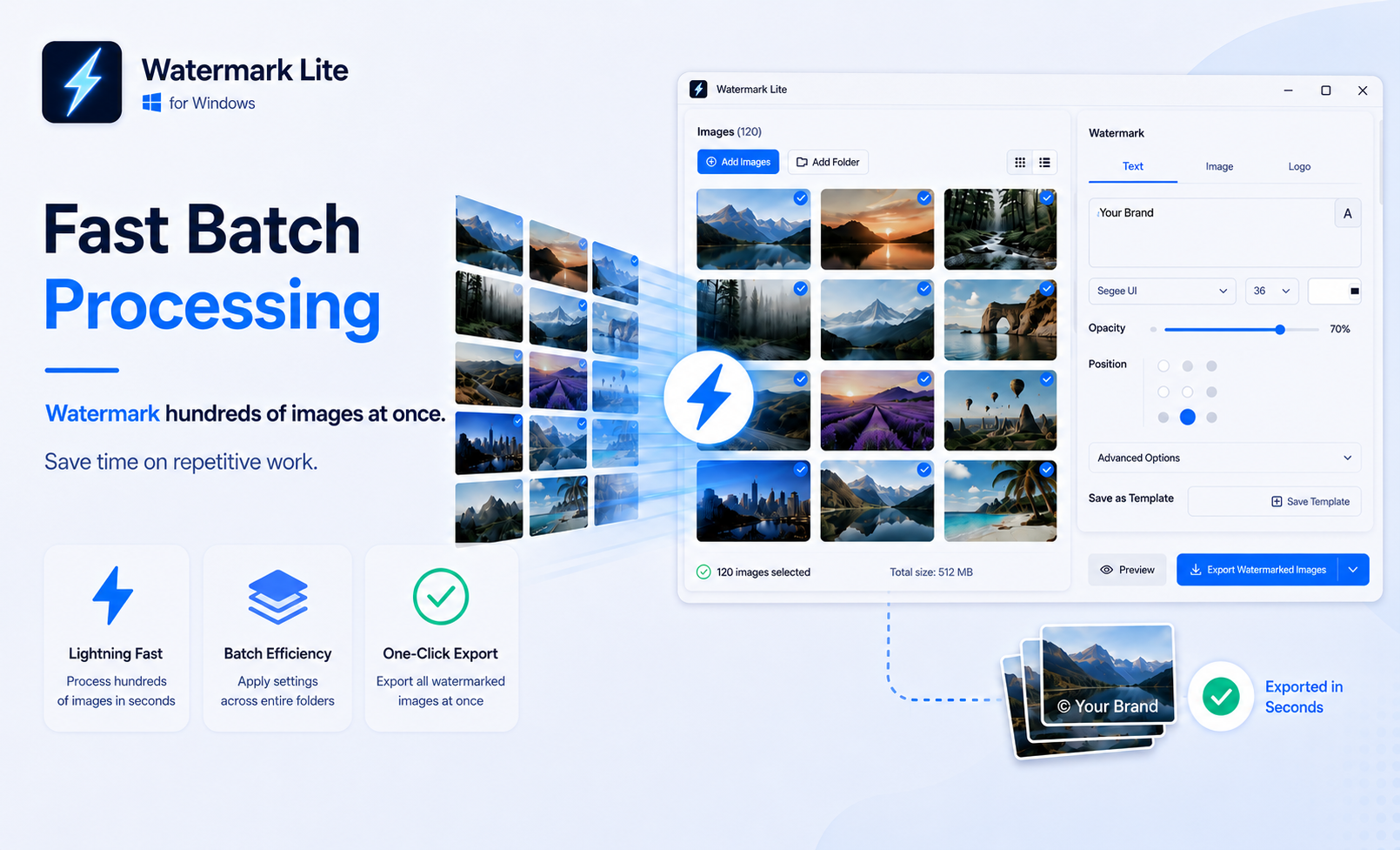
Fast Batch Processing
Stop watermarking images one by one.
Apply the same watermark settings to hundreds of images at once and export the entire batch in one go.
Save time on repetitive work and handle large image batches more efficiently.
- Fast batch processing
- Apply settings across entire folders
- One-click batch export
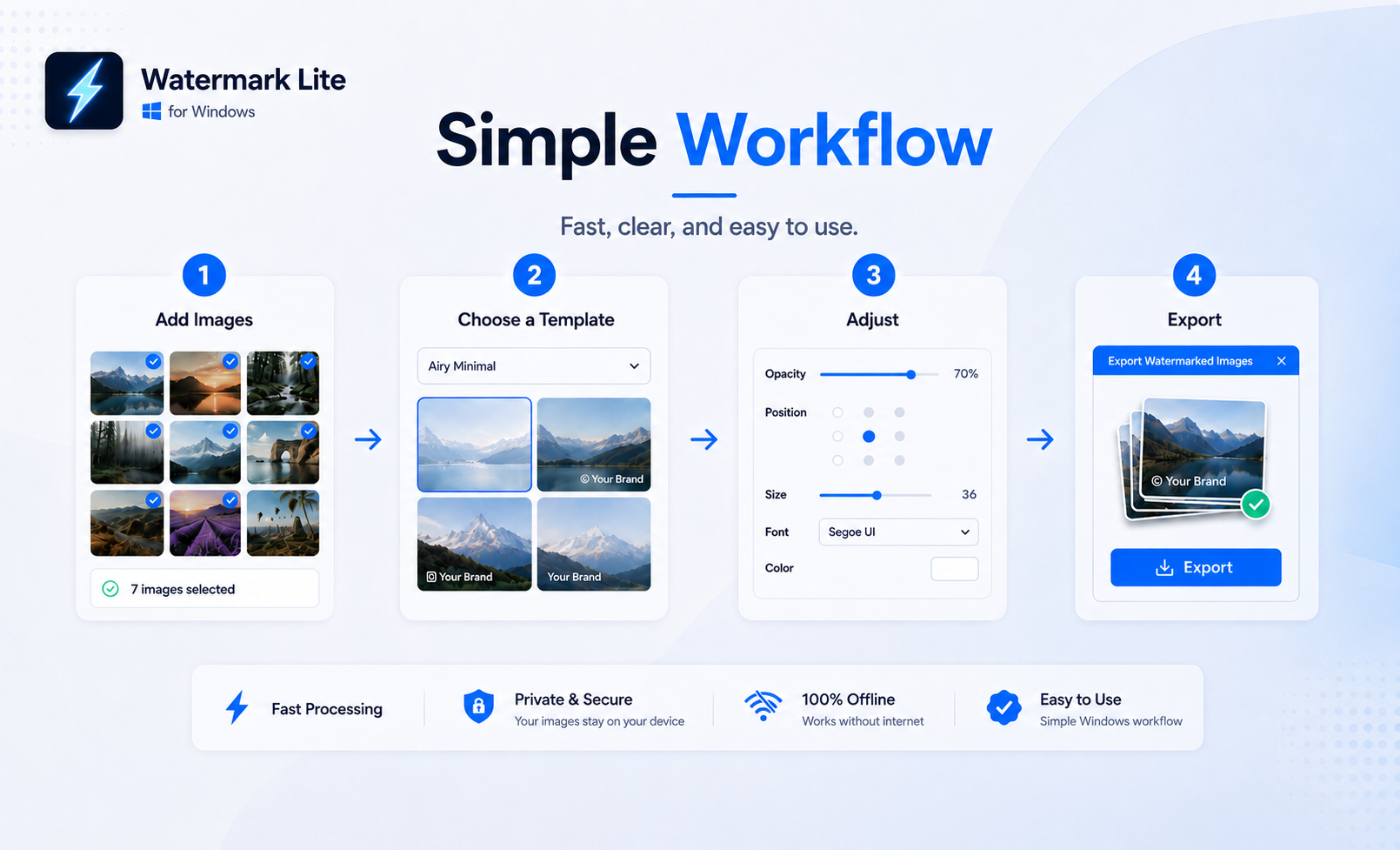
Simple Workflow
Watermark Lite is designed to be simple and easy to use.
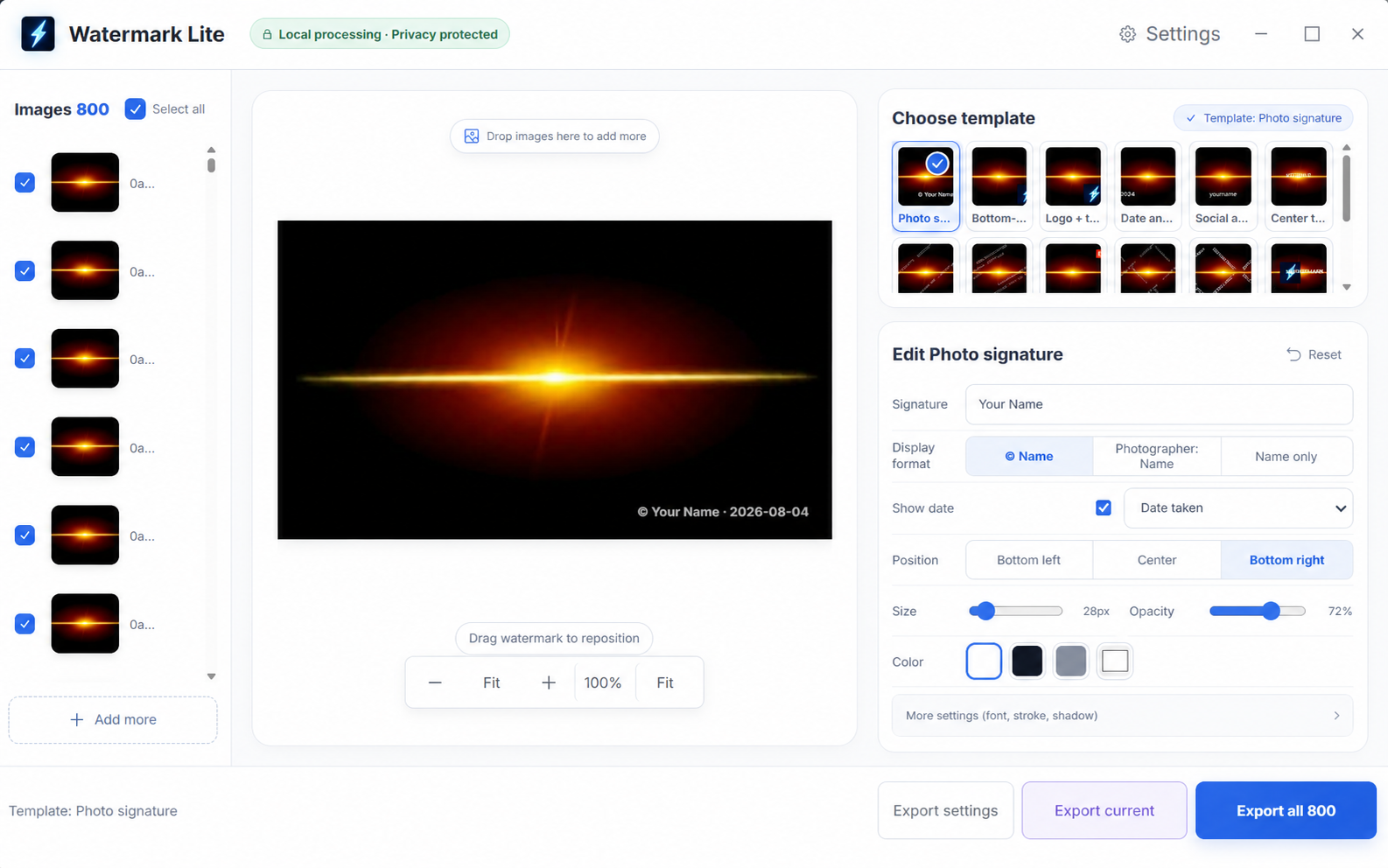
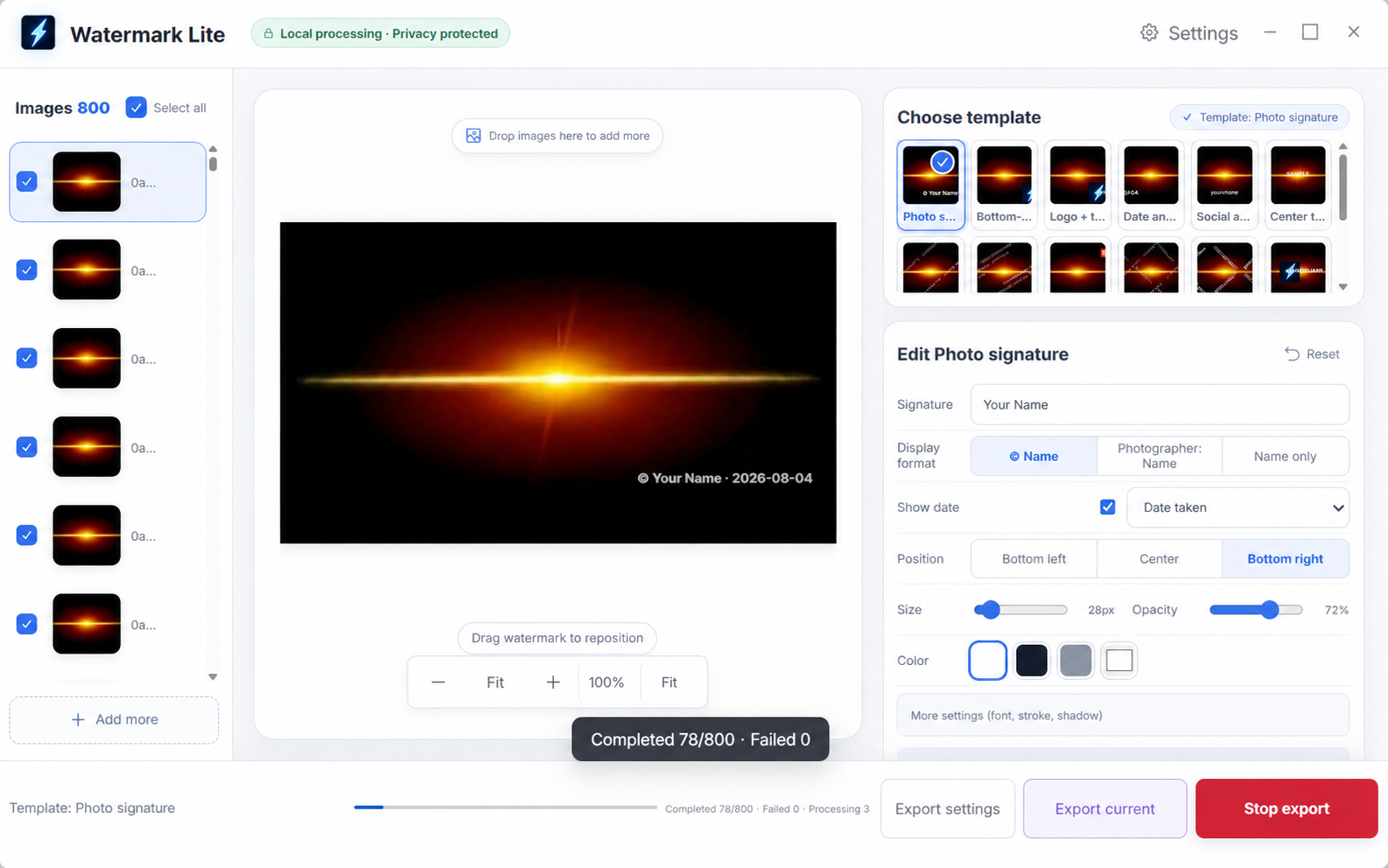
Add Images → Choose a Template → Adjust → Export
No complicated menus. No confusing workflow.
Add your images, choose or create a watermark, adjust the settings, preview the result, and export.
Text, Image & Logo Watermarks
Add the watermark style you need.
Watermark Lite supports:
- Text watermarks
- Image watermarks
- Logo watermarks
- Brand marks
- Copyright information
Adjust the position, size, opacity, font, and style to match your needs.
Whether you want to protect your work or add consistent branding to your images, Watermark Lite gives you the essential controls without unnecessary complexity.

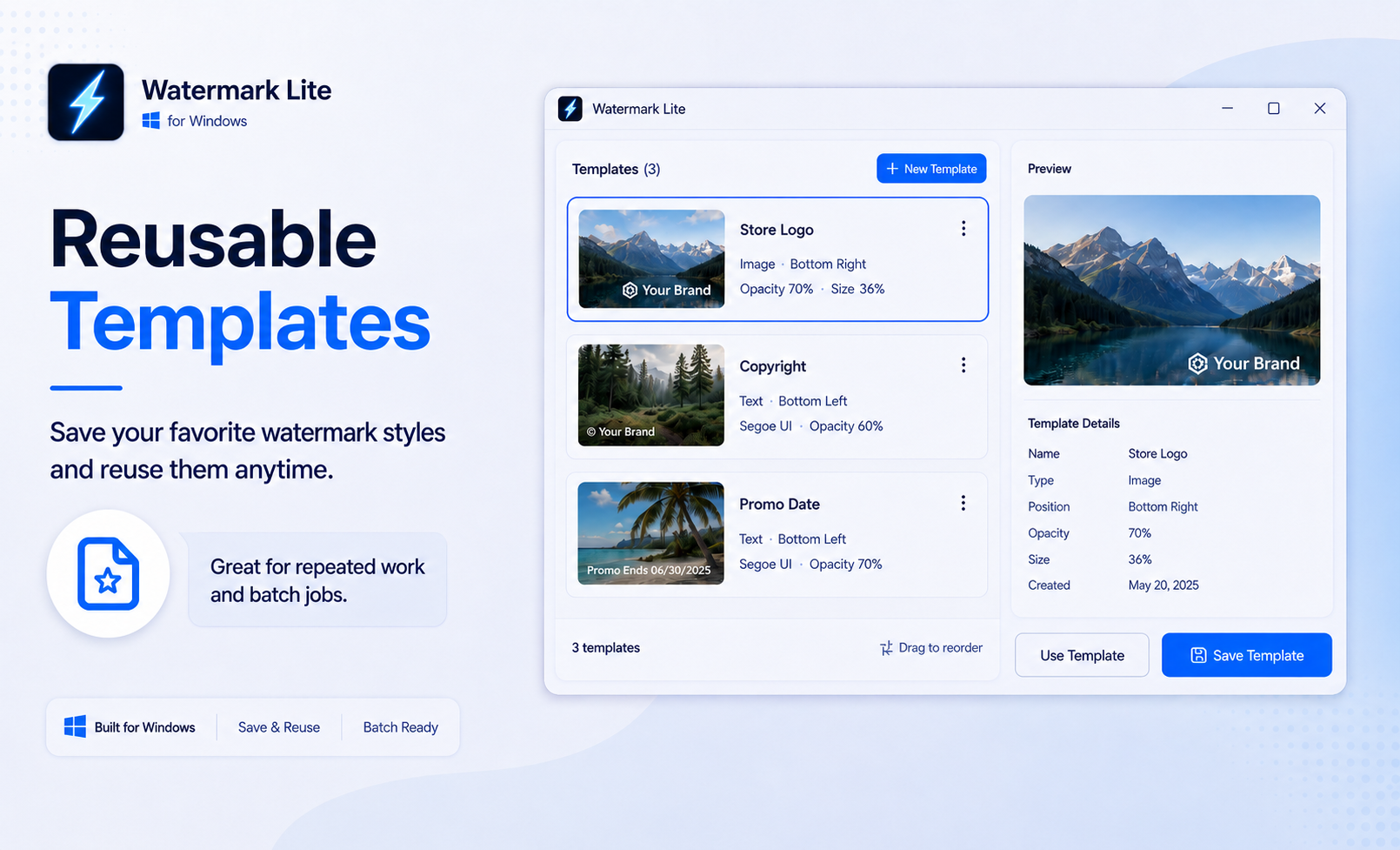
Reusable Templates
Save your favorite watermark styles and reuse them anytime.
Create your watermark once, save it as a template, and quickly apply it again to future batches.
Reusable templates are especially useful for:
- Product images
- Client previews
- Portfolio images
- Social media content
- Brand assets
- Repeated batch jobs
Spend less time rebuilding the same watermark settings again and again.
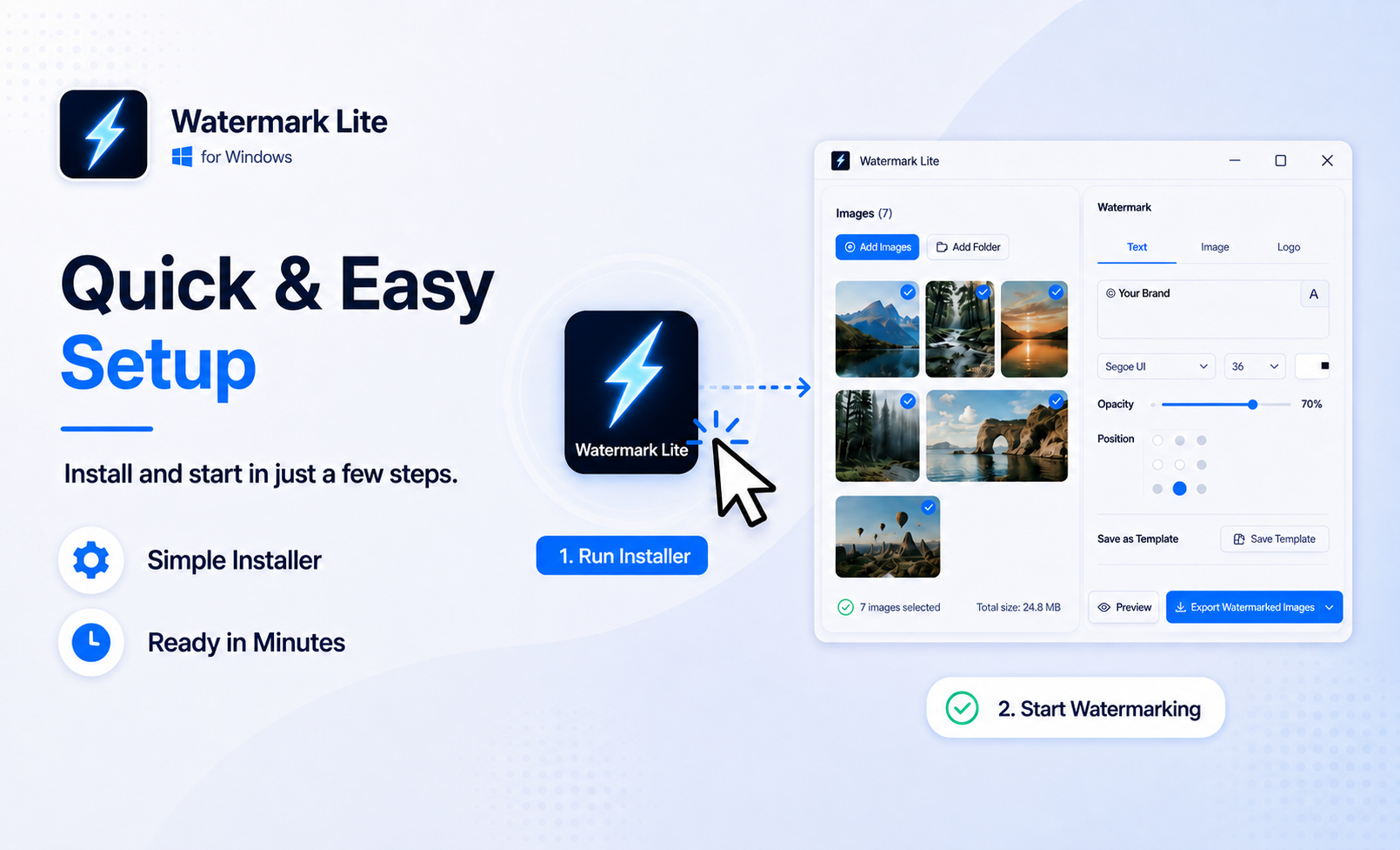
Quick & Easy Setup
Getting started is simple.
Download the Watermark Lite installer, run it, and follow the on-screen installation steps.
Once installed, open Watermark Lite, add your images, and start watermarking.
No complicated configuration is required.
Great For
Watermark Lite is useful for:
- E-commerce product images
- Photography
- Digital artwork
- Client previews
- Portfolio images
- Social media content
- Brand images
- Copyright protection
- Game assets and preview images
Why Watermark Lite?
Fast Batch process large groups of images instead of editing them one by one.
Private Your images stay on your computer.
Offline Image processing does not require uploading files to an online service.
Simple A clean workflow designed for quick everyday use.
Reusable Save your watermark settings as templates and use them again whenever you need them.
System Requirements
Windows 10 / Windows 11
Version
Watermark Lite 2.0.0
Support
If you have any questions, encounter a problem, or find a bug, please leave a comment below.
Purchase
In order to download this tool you must purchase it at or above the minimum price of $7.99 USD. You will get access to the following files:
Leave a comment
Log in with itch.io to leave a comment.